Day 17:
- 原文:https://ithelp.ithome.com.tw/articles/10388823
- 發布日期:2025-09-27
如果覺得文章對你有所啟發,可以考慮用 🌟 支持 Gthulhu 專案,短期目標是集齊 300 個 🌟 藉此被 CNCF Landscape 採納 [ref]。
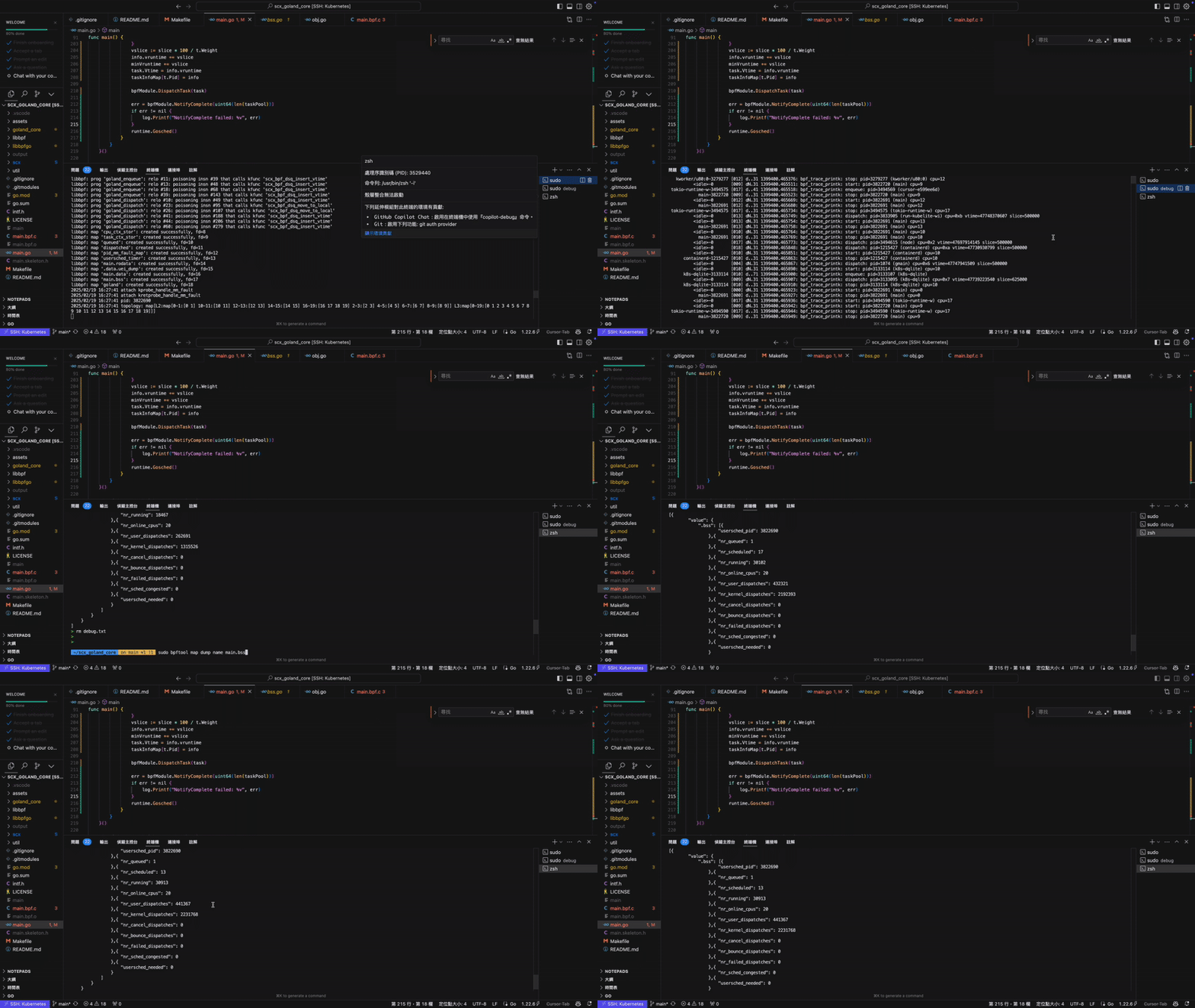
經過一系列的努力,總算是克服了 scheduler 死當的問題(page fault)。今天就來聊聊我在移植 scx_rustland 遇到的第二個問題。
補充:
我將 scx_rustland 以 golang 實作後將其命名為 scx_goland,後面採取了 jserv 的建議將其重新命名為 qunum(心臟的布農族語)。
我發現,當 qunum 運作一陣子後總是會被 watch dog 踢掉,而被踢掉的同時總是伴隨著 "runnable task stall" 的錯誤。這邊先科普一下 scx watch dog 的設計:
- Watch Dog 使用 Concurrency Managed Workqueue 機制運作,詳細資訊可參考 Linux 核心設計: Timer 及其管理機制以及 Linux 核心設計: Concurrency Managed Workqueue(CMWQ)。
- Watch Dog 會在 scheduler 無法在任務無法在設定的 timeout 時間內被排程時將其踢除。
- 第二點利用第一點達成,如果 Watch Dog 的檢查沒辦法在設定的 timeout 時間內完成,同樣會將 scheduler 踢除。
針對第三點,我一開始採取的 WORKAROUND 非常的暴力:
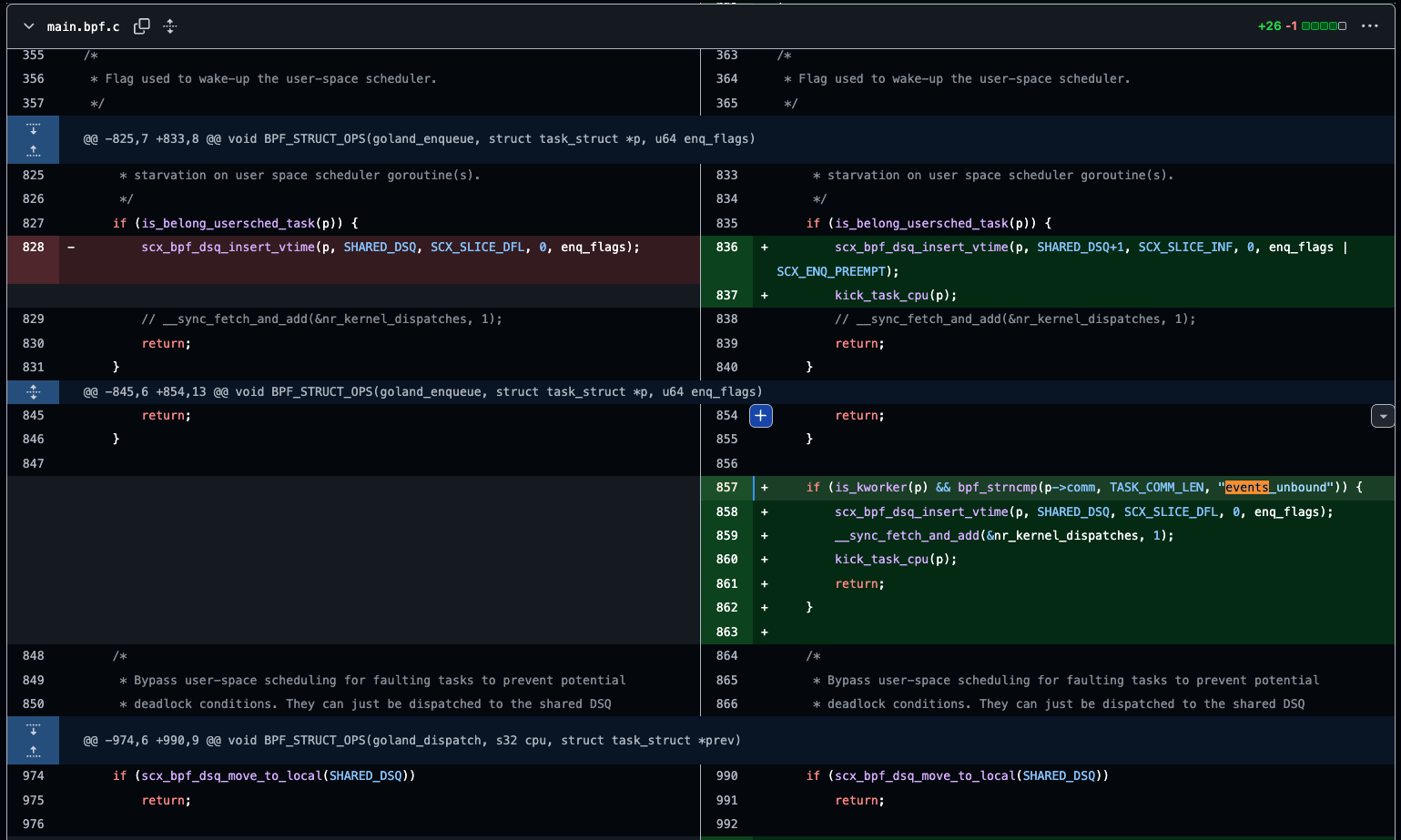
我讓運行 events_unbound 的 kworker(他會處理 cmwq 的任務)直接由 eBPF program 排程,避免 user space scheduler 將其給予過低的優先權,導致排程器被踢除。
這樣的手法有效,卻治標不治本,後來我重構了 user space scheduler 的排程迴圈:
 for true {
        select {
        case <-ctx.Done():
            log.Println("context done, exiting scheduler loop")
            return
        default:
        }
        bpfModule.DrainQueuedTask()
        t = bpfModule.SelectQueuedTask()
        if t == nil {
            bpfModule.BlockTilReadyForDequeue(ctx)
        } else if t.Pid != -1 {
            task = core.NewDispatchedTask(t)

            // Evaluate used task time slice.
            nrWaiting := core.GetNrQueued() + core.GetNrScheduled() + 1
            task.Vtime = t.Vtime

            // Check if a custom execution time was set by a scheduling strategy
            customTime := bpfModule.DetermineTimeSlice(t)
            if customTime > 0 {
                // Use the custom execution time from the scheduling strategy
                task.SliceNs = min(customTime, (t.StopTs-t.StartTs)*11/10)
            } else {
                // No custom execution time, use default algorithm
                task.SliceNs = max(SLICE_NS_DEFAULT/nrWaiting, SLICE_NS_MIN)
            }

            err, cpu = bpfModule.SelectCPU(t)
            if err != nil {
                log.Printf("SelectCPU failed: %v", err)
            }
            task.Cpu = cpu

            err = bpfModule.DispatchTask(task)
            if err != nil {
                log.Printf("DispatchTask failed: %v", err)
                continue
            }

            err = core.NotifyComplete(bpfModule.GetPoolCount())
            if err != nil {
                log.Printf("NotifyComplete failed: %v", err)
            }
        }
    }
起初,為了避免這個迴圈佔滿 CPU,所以我會判斷當 task queue 有多個任務再進行排程,但這會導致排程的 delay 增加。後來我引入了 BlockTilReadyForDequeue 這個關鍵的函式:
func (s *Sched) BlockTilReadyForDequeue(ctx context.Context) {
    select {
    case t, ok := <-s.queue:
        if !ok {
            return
        }
        s.queue <- t
        return
    case <-ctx.Done():
        return
    }
}
想法非常簡單,如果我從 user ring buffer 拿到 eBPF program 派發的 task,我再向下執行,否則 block 整個迴圈。如此一來,我就能確保 scheduler 的 latency 盡可能地低,避免 watch dog 出現 starvation。這樣也就能夠把醜到爆炸的 WORKAROUND 移除了。
補充:
這裡的 latency 也是 Andrea Righi 在部落格中提到的 bubble,兩者都是要傳達一個任務從 runnable 到 running 所花的時間,這個 latency 對於一些低延遲需求的應用來說尤其重要。在後續我們將 Gthulhu 應用到 5G URLLC 的案例上也是優先處理了 latency 的問題。